
What and how it can be used:
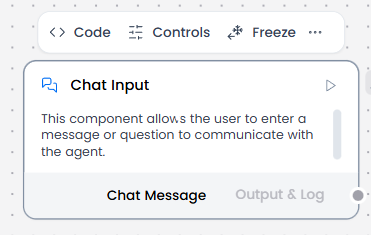
The Chat Input component captures user messages directly from the chat interface in a conversational format. It creates message objects with conversation metadata (sender, timestamp, session ID, roles) and serves as the entry point for interactive, multi-turn conversations with an agent, maintaining conversation context and history throughout the session.
When/how the component should be used:
- Use when you need to capture direct user input from the chat interface
- Use when conversation history and context are required
- Ideal when you need to maintain conversation history and context with metadata
- Connect to Chat Output, Agent Core or any other component that you want to receive user input from the chat interface.
Connections with other components:
- Agent Core
- Text Input
- Chat Output
- API Request
- Directory
- News Search
- RSS Reader
- Web Search
- Language Model
- Batch Run
- LLM Router
- Parser
- Save File
- Smart Function
- Split Text
- Structured Output
- Type Convert
- Listen
- Notify
- Smart Router
- Calculator
- Anonymization
- Directory
- Text Output
- Sql Database
- Guardrail
- Human-in-the-loop
- Bing Search API
- Google Search API
- ChromaDB
- If-Else
Configurable settings:
- Input Text
Control Section:
- Input Text
- Store Messages
- Sender Type
- Sender Name
- Session ID
- Files
Default values:
- Sender Type : User
- Sender Name : User
- Store Messages : on
Desired Behaviour:
- Keep messages in correct order.
- Preserve roles (user/system).
- Create message objects with conversation metadata