
What and how it can be used:
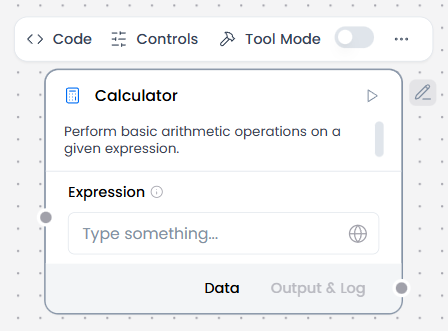
The Calculator component performs basic arithmetic operations on a given expression. It evaluates mathematical expressions containing numbers and arithmetic operators (addition, subtraction, multiplication, division) and returns the calculated result.
When/how the component should be used:
- Perfect for evaluating user-provided mathematical expressions.
- Use when you need to evaluate arithmetic expressions in workflows.
- Configure the calculation formula or expression.
- Output the computed result to downstream components (e.g., Chat Output, Agent Core, Data Operations).
- Can be used as a tool for the agent by setting the Calculator component to tool mode and connecting it to the Agent Core component.
Connections with other components:
- ChatOutput
- Data Operations
- Parser
- Save File
- Smart Function
- Split Text
- Type Convert
- Notify
- ChromaDB
In tool mode:
- Agent Core
- Human-in-the-loop
Configurable settings:
- Expression ( Write the expression)
Default settings:
- Expression ( Write the expression)
Control Section:
- Expression
- Actions in tool mode
Default values:
- Actions = EVALUATE_EXPRESSION
Desired Behaviour:
- Compute exact results.