
What and how it can be used:
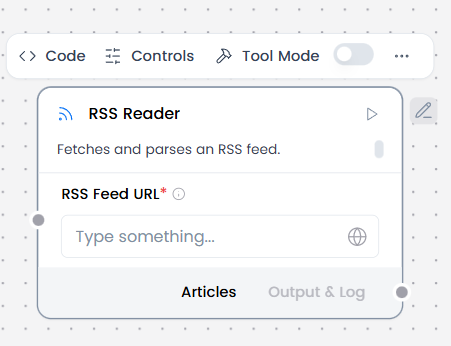
The RSS Reader component fetches and parses content from RSS/Atom feeds, allowing AI agents to access regularly updated content from websites, blogs, news sources, and podcasts.
When/how the component should be used:
- Ideal for aggregating news, blog posts, or updates from multiple sources
- Use for monitoring blogs or feeds.
- Use Chat Input to enter the RSS feed URL(s) from hospital sources.
- Can connect directly to Chat Output to get structured feed items (title, link, date, summary).
- Or Connect to Language Model or Parser to generate insights or structured updates.
Connections with other components:
- Chat Input
- Chat Output
- Batch Run
- DataFrame Operations
- Parser
- Save File
- Split Text
- Type Convert
- Loop
- Notify
- ChromaDB
In tool mode:
- Agent Core
- Human-in-the-loop
Configurable settings:
- RSS Feed URL (Add URL)
Default settings:
- RSS Feed URL
Control Section:
- RSS Feed URL
- Timeout
- In tool mode, there are actions
Default values:
- Timeout = 5
- Actions = READ_RSS
Desired Behaviour:
- Limited, relevant results
- Clear attribution