
What and how it can be used:
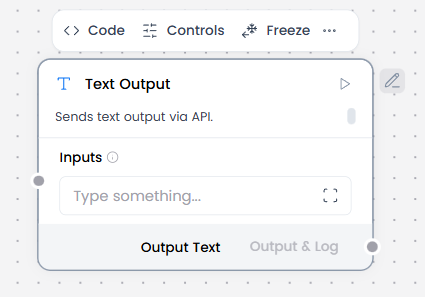
The Text Output component displays text responses in a static format without conversation context. It presents plain text results without message objects or metadata, suitable for one-time query results or processed outputs from component workflows.
When/how the component should be used:
- When Agent Core processes a request and generates a result, it sends that result to Text Output for display
- Use when raw text or structured output is needed without chat semantics or metadata
- When Agent Core processes a one-time request and generates a result, it sends that result to Text Output for display
- Best when only the final output matters, not the interaction history
- Connect output from Language Model, Parser, or Text Input.
Connections with other components:
- Chat Output
- Text Input
- Agent Core
- RSS Reader
- SQL Database
- Batch Run
- Language Model
- API Request
- LLM Router
- Parser
- Save File
- Smart Function
- Split Text
- Structured Output
- Type Convert
- Listen
- Notify
- Smart Router
- Calculator
- Anonymization
- Guardrail
- Human-in-the-loop
- Bing Search API
- Google Search API
- News Search
- Helpers Components
- ChromaDB
- If-Else
Configurable settings:
- Inputs
Control Section:
- Inputs
Desired Behaviour:
- Outputs text exactly as received (plain text only)
- No formatting changes
- No conversation metadata