
Data Operations
On this page
Purpose
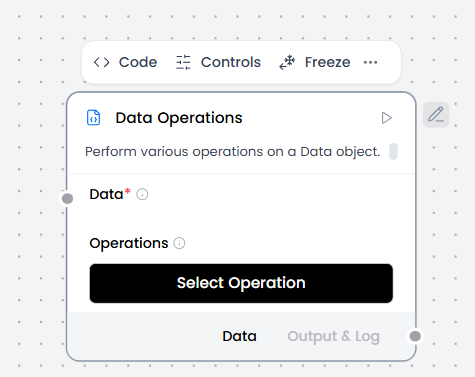
Data Operations changes one Data value without writing code. Each node runs one selected operation.
When to use it
- Keep, remove, rename, or add JSON keys.
- Filter values inside a Data object.
- Combine Data inputs.
- Select a nested value or run a jq expression.
How to use it
- Connect a Data-producing component to Data.
- Select one Operation.
- Fill in the fields that appear for that operation.
- Connect the Data output to the next component.
Configuration
| Operation | Visible fields | What it does |
|---|---|---|
| Select Keys | Select Keys | Keeps selected top-level keys. Every requested key must exist. |
| Literal Eval | No extra fields | Converts strings that look like Python literals. Unparseable strings stay unchanged. |
| Combine | Data accepts multiple inputs | Merges Data values. Duplicate-key values become lists in input order. |
| Filter Values | Filter Key, Comparison Operator, Filter Values | Filters records in a top-level list. Comparisons are string-based and equals is the default. |
| Append or Update | Append or Update | Adds or replaces top-level keys from a key-value mapping. |
| Remove Keys | Remove Keys | Removes matching keys recursively. |
| Rename Keys | Rename Keys | Renames matching keys recursively. |
| Path Selection | JSON to Map, Select Path | Generates paths from sample JSON, then evaluates the selected path against connected Data. |
| JQ Expression | JQ Expression | Runs a jq expression against connected Data. |
Each node runs one operation. Use another Data Operations node for the next transformation.
Expected result
The component returns Data. With no selected operation, it returns empty Data. Append or Update changes top-level keys. Combine turns duplicate-key values into lists in input order. JQ Expression returns a single dictionary match directly. A single non-dictionary match or multiple matches are wrapped under result.
Reference details
Path Selection uses sample JSON to build the editor choices, but execution always uses the connected Data. Filter Values does not coerce numeric or boolean types before comparing them. A missing Filter Key raises an error, a non-list Filter Key raises a type error, and an empty Filter Values entry leaves that pass unchanged. Blank, null, or no-match JQ expressions fail instead of returning empty Data.
Related components
- ChromaDB accepts prepared Data for ingestion.
- Structured Output can supply extracted Data.
- Chat Output can display a processed Data value.