
PubMed
On this page
Purpose
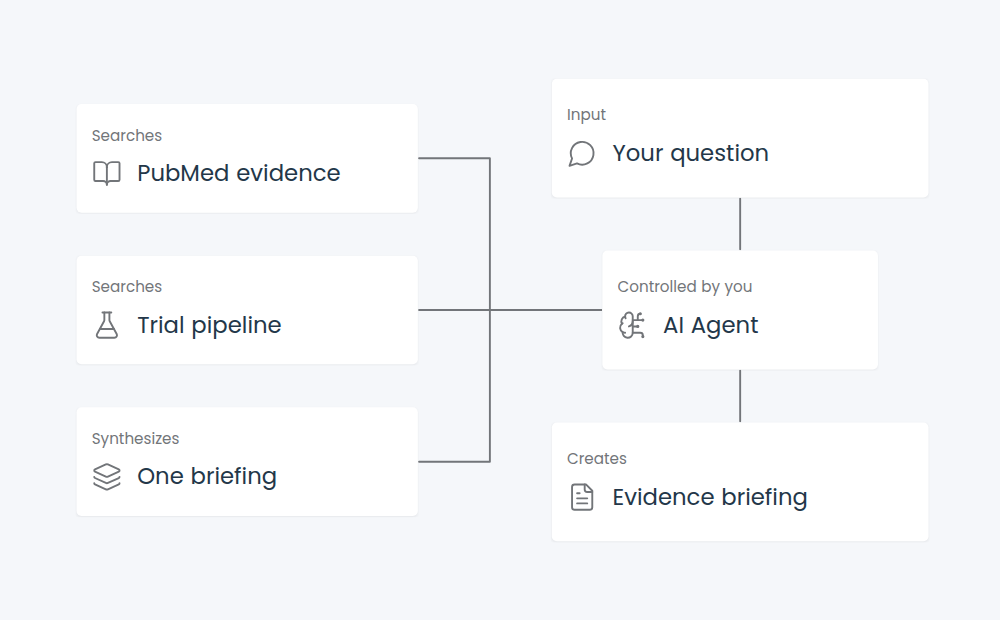
PubMed searches biomedical literature, fetches records by PMID, and finds articles related to a known PMID through NCBI E-utilities. It can include parsed abstracts and best-effort PMC full text when available.
It does not provide publisher-only or paywalled full text, grade evidence, or make clinical recommendations.
When to use it
- Search for evidence on a clinical or biomedical question.
- Fetch a selected article by PMID.
- Expand from one relevant paper to related articles.
- Narrow search results to guidelines, systematic reviews, meta-analyses, or randomized trials.
How to use it
In Tool Mode:
- Connect the component's tools to Agent Core.
- Ask the Agent to search with a focused biomedical question.
- Let it use a returned PMID with Fetch By PMID or Get Related Articles.
- Request full text only when the task needs available PMC article text.
For example, ask the Agent to find recent systematic reviews for a treatment question, then fetch the abstract for the most relevant PMID.
Agent tools default to abstracts off.
In Normal mode:
- Keep Action set to Search Evidence and enter a focused query.
- Start with Any Article, Best Match, 5 results, abstracts on, and full text off.
- Use a returned PMID with Fetch By PMID, or use Get Related Articles to expand from one PMID.
- Enable full text only when needed. It is best-effort PMC retrieval, not universal article access.
Configuration
| Setting | What it controls | Recommended starting point |
|---|---|---|
| Action | Search, fetch by PMID, or related-article lookup | Search first unless you have a PMID |
| Query | Search text | Use a focused biomedical question |
| Evidence Profile | A publication-type filter | Start with Any Article |
| Sort and date range | Result order and publication window | Use Best Match with no date limits first |
| Top Results | The number of search results | Start with 5; the range is 1 to 20 |
| Include Abstracts | Fetches and parses abstracts | Keep on for normal evidence review |
| Include Full Text If Available | Looks for available PMC XML | Keep off until article body text is needed |
| Fetch Format | Structured Abstract or raw MEDLINE/XML | Use Abstract for downstream processing |
Expected result
Search and related actions return citation records, counts, applied filters, and NCBI query metadata. Abstract fetch returns structured records. MEDLINE and XML fetches return raw text and do not add full-text enrichment.
PMID input accepts comma, whitespace, semicolon, or newline-separated numeric values. Invalid tokens are discarded. The run fails only when no valid PMID remains.
Reference details
Use Evidence Profile and date range to narrow the search. Use Publication Date or Most Recent when chronology matters. Full-text lookup can add provider calls and payload size, so turn it on only for a specific need.
Use Data Operations to filter citation and full-text metadata. Type Convert can adapt structured results for another consumer.